AI Text-to-Video
Convert any text into a video with AI in minutes. Paste your script or prompt, choose a presenter, and create videos from text without filming or editing. Go straight from text to a video that is ready to share.
 4.8/5 rating
 130M+ generated
 Over 177 languages
 No watermark
 4.8 / 5 from 1,000+ reviews


Trusted by over 10,00,000 developers and leading companies.
Scale video production with text-to-video AI
HeyGen transforms your text into polished videos featuring AI avatars, voice-overs and captions, with no camera or production crew required. Paste a script or describe your idea to create a share-ready video in minutes. Select an avatar and voice, customise your script and visuals, add your branding, resize the video for any platform and export it—all in one place.
Everything You Can Create with Text-to-Video AI
Transform scripts into lifelike presenter-led videos
Paste a script, and the text-to-video generator delivers a finished take in minutes. Avatar V brings full upper-body movement and natural delivery to long-form scripts. Choose from over 700 avatars or create your own digital twin using a 15-second clip. Alternatively, skip the presenter and produce a voice-over-only cut, letting the visuals do the talking.

Multilingual voice and natural narration
Generate an AI voice-over that sounds human, or use AI voice cloning to retain the same presenter across markets and campaigns. Dub a single script into over 177 languages and dialects with lip-synchronised movement, enabling global teams to deliver the same message without re-recording any voice-overs.

Easily add AI B-roll, animations and visuals
Skip the search for stock footage. Specify the look—minimal, cartoon, cinematic or retro—and get scene-matched B-roll created using motion graphics, Veo 3.1 and Seedance 2.0 AI video, or stock footage, with no second subscription required. Every shot aligns with your prompt.

Captions, subtitles and global delivery
Word-synchronised captions and subtitles are produced automatically with the AI subtitle generator. Localise captions across more than 177 languages in the same render, then add licensed music and sound effects from the library. Accessibility, sound and reach are delivered in a single pass.

High-quality export and 4K delivery
Export high-quality videos in 4K MP4 (16:9, 9:16 or 1:1) from a single project, ready for YouTube, TikTok, LinkedIn or your LMS. Brand kits keep typography, colours and logos consistent across every video edit, so a simple text prompt can be used for every channel.

Practical applications of text-to-video AI
Marketing teams often wait weeks for edits and translations. Paste a campaign brief, choose a presenter, and generate video content for promotions, products, and demand generation.
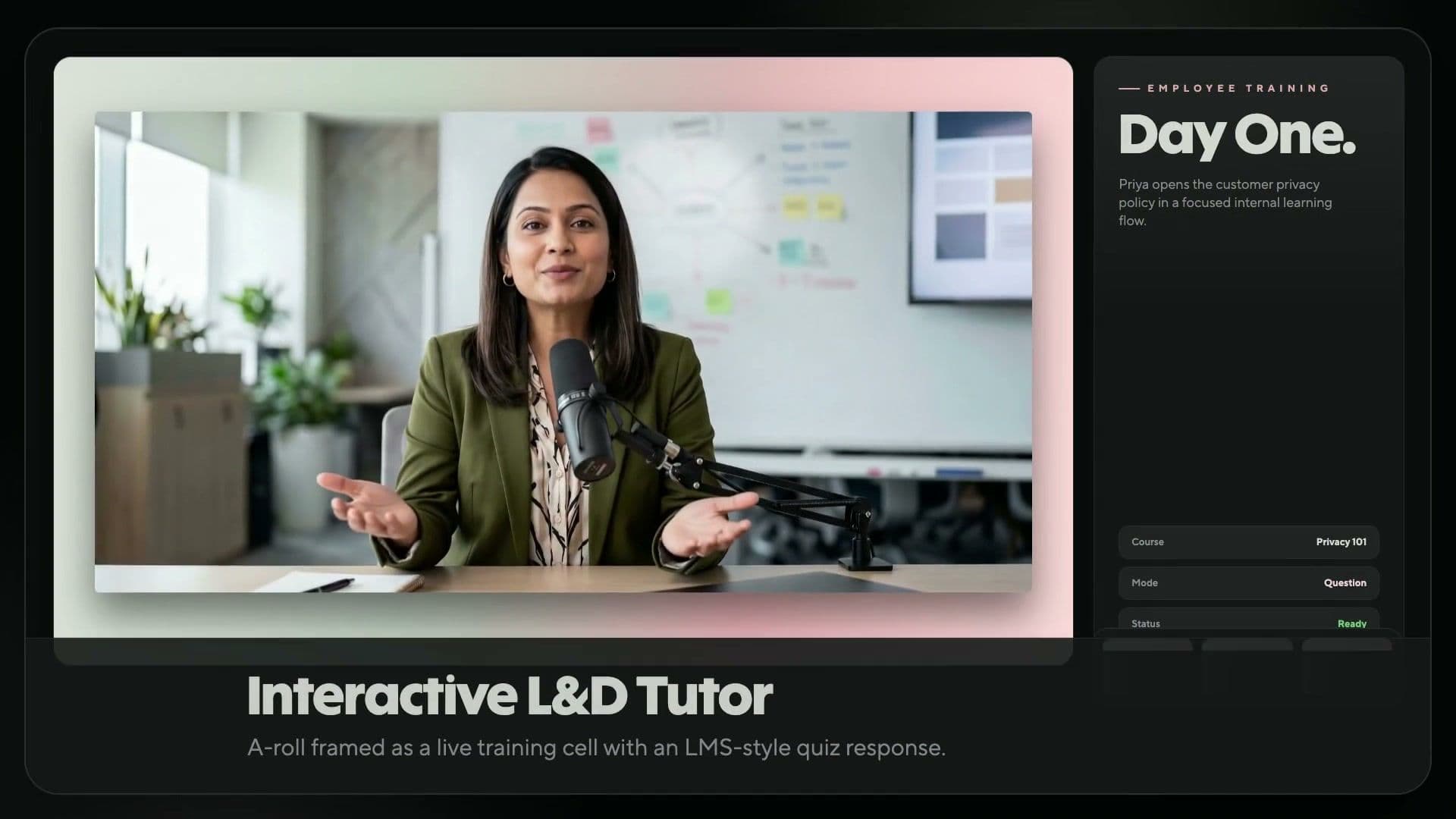
L&D teams can replace outdated modules and time-consuming reshoots with text-driven training videos. Update the script, regenerate the video, and publish it to your LMS or training workflow.
Creators rarely have a film crew. Paste a script-to-video prompt, choose a presenter or create a faceless video, and publish vertical or horizontal clips for YouTube and TikTok.
Studio bookings and shoots can delay e-commerce launches. Add your product copy, generate a presenter-led explainer with automatic B-roll, and publish it across your online store, advertisements, and social media.
Course creators can publish lessons faster. Turn an outline into short videos, animated videos and a narrated lesson with captions and translations in minutes.
Generic sales emails can stall pipelines. Batch Mode turns a single script list into a personalised clip for each prospect, greeting them by name, or you can automate the process through HubSpot.
Filmmakers spend days and exhaust budgets shooting scenes that a prompt can generate first. Write a script-to-video prompt and create cinematic AI B-roll with Seedance.
Paste a brief, select an approved presenter, and generate an on-brand video with built-in SSO, role-based access, and SOC 2 Type II compliance.
How to convert any text into a video
Create a polished text-to-video AI clip in four steps, transforming a simple text prompt into a share-ready video within minutes.

Paste or enter a prompt
Add your script, brief, or text prompt. Refine the tone and pacing in the text view.

Choose a presenter and voice
Select a presenter and a voice. Clone your own voice or choose from a library covering over 177 languages.

Customise visuals
Add captions, B-roll, brand colours, music and animation. Swap any element without re-rendering.

Generate and export
Generate the final video and download it as a 4K MP4. Share it on YouTube or TikTok, or upload it to your LMS.
Flexible pricing options for every creator and team
HeyGen empowers over 1,00,000 businesses to create, localise, scale and collaborate on videos, with no camera or crew required. Recognised as G2’s No. 1 Fastest-Growing Product of 2025, we make professional video creation easier than ever.
Free
$0/month
An ideal starting point for creators and marketers looking to explore AI tools, such as HeyGen’s AI video maker.
- 3 videos per month
- Videos up to 1 minute
- Access to Avatar IV
- Standard video processing
- Over 500 stock video avatars
- 1 Custom Video Avatar
- Over 30 languages
Creator
$29 / month
Generative AI video creation for solo creators. Provides access to advanced features such as the AI video generator and AI voice-over.
- Videos up to 30 minutes
- 1080p video export
- Extended Avatar IV video generation
- Fast video processing
- Unlimited Photo Avatars
- Watermark removal
- Voice Cloning
- Over 175 languages and dialects
- Credit rollovers
Pro
$49 / month
Designed for advanced creators producing premium content at scale. Unlock flexible usage and export in stunning 4K video quality.
- Videos up to 30 minutes
- 4K video export
- Extended Avatar IV video generation
- Quicker video processing
- Unlimited Photo Avatars
- Watermark removal
- Customisable monthly usage
- Edit and proofread the translated script
- Access to all advanced AI models
Free
$0/month
An ideal starting point for creators and marketers looking to explore AI tools, such as HeyGen’s AI video maker.
- 3 videos per month
- Videos up to 1 minute
- Access to Avatar IV
- Standard video processing
- Over 500 stock video avatars
- 1 Custom Video Avatar
- Over 30 languages
Creator
$29 / month
Generative AI video creation for solo creators. Provides access to advanced features such as the AI video generator and AI voice-over.
- Videos up to 30 minutes
- 1080p video export
- Extended Avatar IV video generation
- Fast video processing
- Unlimited Photo Avatars
- Watermark removal
- Voice Cloning
- Over 175 languages and dialects
- Credit rollovers
Pro
$49 / month
Designed for advanced creators producing premium content at scale. Unlock flexible usage and export in stunning 4K video quality.
- Videos up to 30 minutes
- 4K video export
- Extended Avatar IV video generation
- Quicker video processing
- Unlimited Photo Avatars
- Watermark removal
- Customisable monthly usage
- Edit and proofread the translated script
- Access to all advanced AI models
Business
$149 / month
Additional seats are $20 per seat. Secure, scalable video creation for teams and organisations
- Videos up to 60 mins
- 4K video export
- Quicker video processing
- 2x more concurrency than Pro
- 5 Custom Video Avatars
- Scale your brand and centralise assets
- SAML/SSO
- Centralised billing
- Flexible top-up or automatic credit reload
- Add team members for $20 per seat per month
- Workspace collaboration
- Video draft commenting and editing
- Invitations & team management
- Interactive Video (Quizzes, Links and More)
- SCORM Export
- LMS Integrations
- Integrations with n8n, Make, HubSpot & Zapier
Enterprise
Contact Sales
Studio-quality video creation tailored to your business needs.
- Flexible video creation
- No maximum video duration
- 4K video export
- Fastest video processing
- Maximum concurrency
- Multi-workspace management
- Proofreader seats for video translation
- Centrally manage roles and access
- Enterprise-grade security and privacy
- SCIM User Provisioning
- Multi-factor authentication for team members
- Commercial terms
- Priority customer support
- Dedicated customer success manager
- Customised onboarding
- Enterprise community access
- Invoice billing
FAQs about text-to-video AI
How can I convert text into a video using AI?
Paste your script into the editor, choose a presenter and voice, then refine the visuals, captions and music. The AI text-to-video engine automatically creates videos from text prompts, turning your script into a finished video within minutes.
What types of text can I use to create videos?
Almost anything you already have in writing. You can paste a polished script, a product description, a blog post or even a few bullet points from a meeting, and HeyGen will understand the context and create a video around it. The more detail you provide, the more customised the result will be, but even a rough idea is enough to produce a strong first draft that you can refine.
How can I write an effective text-to-video prompt?
Begin with the script or message, as the words matter most. Add a line describing the tone and a style descriptor, then specify which media to use: motion graphics for data, AI video for ideas, and stock footage for locations.
Can I generate videos in multiple languages with subtitles?
Yes. The AI video translator dubs your video into over 177 languages with synchronised lip movements and automatically generated captions. Captions, subtitles and voice-overs are localised in the same render, enabling global teams to use a single script across all markets.
Which is the best AI text-to-video generator?
HeyGen is the leading AI text-to-video generator for presenter-led videos, featuring G2's top-rated realistic avatars, Veo 3.1 and Seedance 2.0 B-roll, support for over 177 languages, and videos of up to 30 minutes—all within a single editor.
Can I use AI text-to-video videos for commercial purposes?
Yes. Videos generated on paid plans are licensed for commercial use across marketing, sales, training and product channels. Brand kits keep logos, typography and colours consistent, so every video is delivered on-brand and ready for advertisements, landing pages and outreach.
Can I edit parts of a generated text-to-video?
Yes. Update the script, and the AI video editor will regenerate only the modified section, so you need not re-record or rebuild the entire video. You can change the presenter, voice, captions or B-roll at any time without restarting the video editing process.
How long does it take to generate a video using text-to-video AI?
A one-minute script is usually ready in 5 to 10 minutes. Video Agent renders it in roughly 5 to 10 times the video's duration, including the voice-over, captions and B-roll, so longer scripts take proportionately longer.
Can I use my own voice or presenter avatar?
Yes. Record a 15-second clip, and the platform will create a custom presenter and a cloned voice. Reuse both across all your projects, so the same face and voice can present in any language without the need to film again.
Can I choose a visual style, such as animated or cinematic?
Yes. Specify the look in your prompt—minimal, cartoon, cinematic, flat design or retro—or attach a Brand System so that Video Agent keeps colours, fonts and logos consistent across every scene.
What inputs can AI video generators use apart from text?
Plenty. Upload a PDF or PowerPoint, attach images, screenshots or video clips as references, or start with an audio file. Video Agent extracts the script, selects the scenes and renders the complete video.
Which AI models power text-to-video generation on HeyGen?
Avatar V and Avatar IV render the presenter, Seedance 2.0 and Veo 3.1 generate B-roll, whilst Nano Banana and Seedream create still images. All of them are available within a single HeyGen subscription.
Explore more AI-powered tools
Bring any photo to life with hyper-realistic voice and movement using Avatar IV.
Begin creating with HeyGen
Transform your scripts into professional videos using AI.

