AI Teks ke Video
Ubah teks apa pun menjadi video dengan AI dalam hitungan menit. Tempelkan naskah atau perintah Anda, pilih presenter, lalu buat video dari teks tanpa perlu merekam atau mengedit. Ubah teks langsung menjadi video yang siap dibagikan.
 Peringkat 4,8/5
 130 Juta+ Dibuat
 177+ Bahasa
 Tanpa Tanda Air
 4.8 / 5 dari 1.000+ ulasan


Dipercaya oleh lebih dari 1.000.000 pengembang dan perusahaan terkemuka.
Tingkatkan skala produksi video dengan AI Teks ke Video
HeyGen mengubah teks Anda menjadi video profesional dengan avatar AI, sulih suara, dan teks layar, tanpa memerlukan kamera atau kru produksi. Tempelkan naskah atau jelaskan ide Anda, lalu buat video yang siap dibagikan dalam hitungan menit. Pilih avatar dan suara, sesuaikan naskah dan visual, tambahkan elemen merek Anda, ubah ukuran untuk platform apa pun, lalu ekspor—semuanya di satu tempat.
Semua yang Dapat Anda Lakukan dengan AI Teks ke Video
Ubah naskah menjadi video realistis yang dipandu presenter
Tempelkan naskah, dan generator teks-ke-video akan menghasilkan video siap pakai dalam hitungan menit. Avatar V menghadirkan gerakan tubuh bagian atas secara penuh dan penyampaian yang alami untuk naskah berdurasi panjang. Pilih dari lebih dari 700 avatar atau buat kembaran digital Anda sendiri dari klip berdurasi 15 detik. Atau, lewati penggunaan presenter dan hasilkan video hanya dengan sulih suara, sehingga visual yang menyampaikan pesan.

Suara multibahasa dan narasi alami
Buat sulih suara AI yang terdengar alami seperti manusia, atau gunakan kloning suara AI agar suara satu presenter tetap konsisten di berbagai pasar dan kampanye. Sulihsuarakan satu naskah ke dalam lebih dari 177 bahasa dan dialek dengan gerakan yang selaras dengan gerak bibir, sehingga tim global dapat menyampaikan pesan yang sama tanpa perlu merekam ulang sulih suara.

Tambahkan B-roll AI, animasi, dan visual dengan mudah
Tak perlu lagi mencari-cari stok video. Cukup tentukan tampilannya—minimalis, kartun, sinematik, atau retro—dan B-roll yang sesuai dengan adegan akan dibuat dari grafis bergerak, video AI Veo 3.1 dan Seedance 2.0, atau stok video, tanpa perlu langganan kedua. Setiap pengambilan gambar selalu mengacu pada prompt Anda.

Teks layar, subtitel, dan distribusi global
Teks layar dan subtitel yang tersinkronisasi dengan kata-kata dibuat secara otomatis menggunakan generator subtitel AI. Lokalkan teks layar ke lebih dari 177 bahasa dalam proses rendering yang sama, lalu tambahkan musik berlisensi dan efek suara dari pustaka. Aksesibilitas, audio, dan jangkauan dapat dituntaskan sekaligus.

Ekspor berkualitas tinggi dan hasil dalam resolusi 4K
Ekspor video berkualitas tinggi dalam format MP4 4K (16:9, 9:16, atau 1:1) dari satu proyek, siap untuk YouTube, TikTok, LinkedIn, atau LMS Anda. Kit merek menjaga konsistensi tipografi, warna, dan logo di setiap versi video, sehingga satu perintah teks sederhana dapat digunakan untuk semua kanal.

Penggunaan nyata AI teks ke video
Tim pemasaran harus menunggu berminggu-minggu untuk proses penyuntingan dan penerjemahan. Cukup tempelkan ringkasan kampanye, pilih presenter, lalu buat konten video untuk promosi, produk, dan penciptaan permintaan.
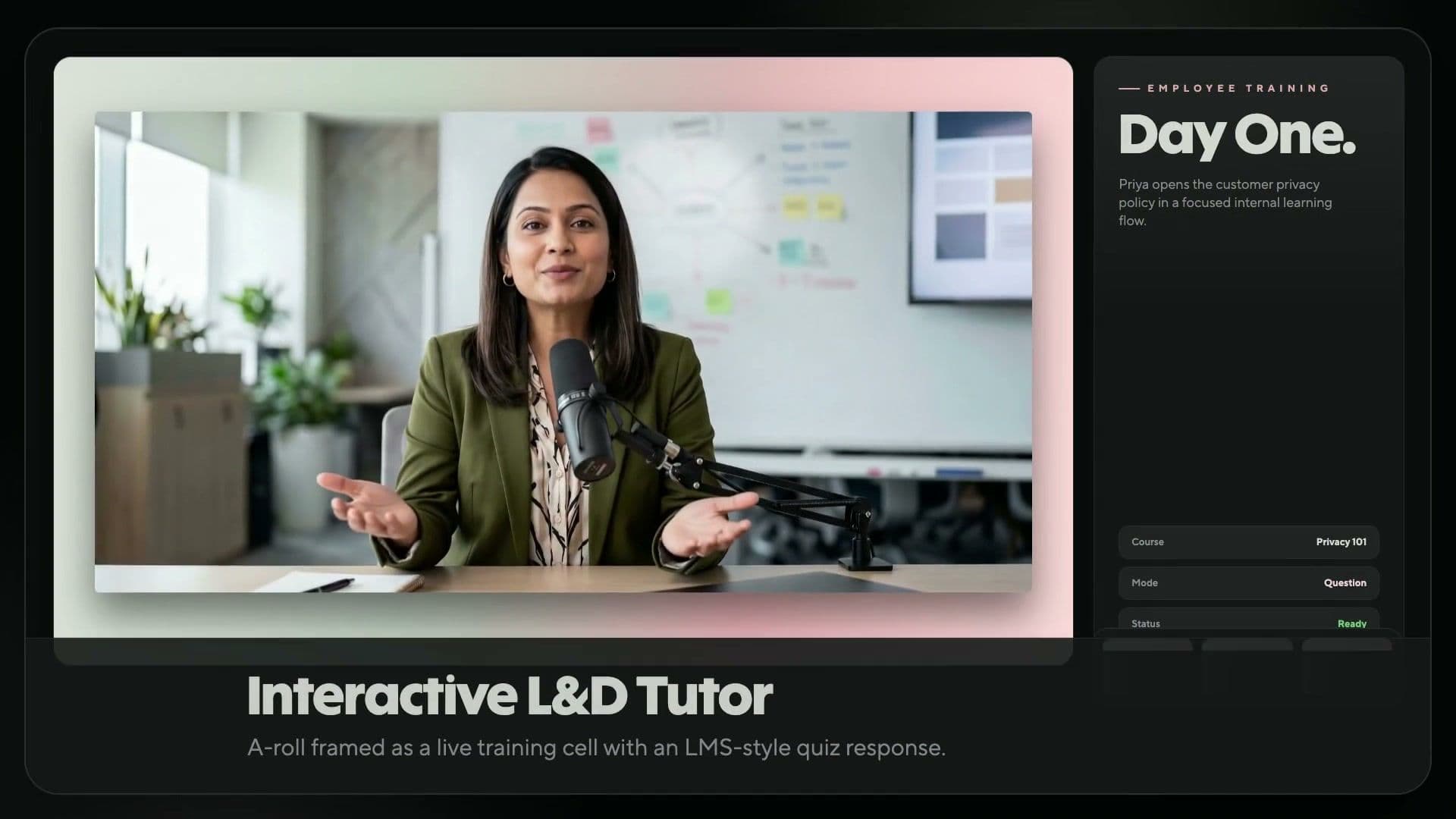
Tim L&D mengganti modul yang sudah usang dan proses syuting ulang yang lambat dengan video pelatihan berbasis teks. Perbarui naskah, buat ulang videonya, lalu kirimkan ke LMS atau alur kerja pelatihan Anda.
Kreator jarang memiliki kru film. Tempelkan naskah ke prompt video, pilih presenter atau buat video tanpa menampilkan wajah, lalu publikasikan klip vertikal atau horizontal untuk YouTube dan TikTok.
Studio dan proses syuting dapat menghambat peluncuran produk e-commerce. Cukup masukkan naskah produk Anda, buat video penjelasan yang dibawakan presenter dengan B-roll otomatis, lalu publikasikan ke toko, iklan, dan media sosial Anda.
Kreator kursus dapat merilis materi pelajaran lebih cepat. Ubah kerangka materi menjadi video pendek, video animasi, dan materi pelajaran bernarasi lengkap dengan teks layar serta terjemahan hanya dalam hitungan menit.
Email penjualan generik menghambat alur penjualan. Batch Mode mengubah satu daftar skrip menjadi satu klip untuk setiap prospek, yang masing-masing menyapa mereka dengan nama, atau otomatisasikan prosesnya melalui HubSpot.
Pembuat film menghabiskan waktu berhari-hari dan anggaran untuk merekam adegan yang sebenarnya bisa dibuat terlebih dahulu hanya dengan prompt. Tulis prompt teks-ke-video dan hasilkan B-roll AI sinematik dengan Seedance.
Tempelkan ringkasan, pilih presenter yang telah disetujui, lalu buat video yang sesuai dengan identitas merek, lengkap dengan SSO, akses berbasis peran, dan kepatuhan SOC 2 Tipe II.
Cara mengubah teks apa pun menjadi video
Buat klip AI teks-ke-video yang siap digunakan dalam empat langkah, mulai dari perintah teks sederhana hingga hasil render yang siap dibagikan hanya dalam hitungan menit.

Tempel atau masukkan perintah
Masukkan naskah, ringkasan, atau perintah teks Anda. Sempurnakan nada dan tempo dalam tampilan teks.

Pilih presenter dan suara
Pilih presenter dan suara. Kloning suara Anda sendiri atau pilih dari pustaka suara yang tersedia dalam lebih dari 177 bahasa.

Sesuaikan visual
Tambahkan teks layar, B-roll, warna merek, musik, dan animasi. Ganti elemen apa pun tanpa perlu merender ulang.

Buat dan ekspor
Buat video final dan unduh dalam format MP4 4K. Bagikan ke YouTube, TikTok, atau kirim ke LMS Anda.
Paket harga fleksibel untuk setiap kreator dan tim
HeyGen memberdayakan lebih dari 100.000 bisnis untuk membuat, melokalkan, meningkatkan skala, dan berkolaborasi dalam produksi video tanpa memerlukan kamera atau kru. Diakui sebagai Produk dengan Pertumbuhan Tercepat No. 1 Tahun 2025 oleh G2, kami menjadikan pembuatan video profesional lebih mudah dari sebelumnya.
Free
$0/bln
Pilihan awal yang ideal bagi kreator dan pemasar yang ingin mencoba berbagai kemungkinan dengan alat AI, seperti pembuat video AI dari HeyGen.
- 3 video per bulan
- Video berdurasi hingga 1 menit
- Akses ke Avatar IV
- Pemrosesan video standar
- 500+ Avatar Video Stok
- 1 Avatar Video Kustom
- 30+ bahasa
Creator
$29 / bln
Pembuatan video AI generatif untuk kreator individu. Memberikan akses ke fitur-fitur canggih seperti generator video AI dan sulih suara AI.
- Video hingga 30 menit
- Ekspor video 1080p
- Pembuatan video Avatar IV berdurasi panjang
- Pemrosesan video cepat
- Avatar Foto Tanpa Batas
- Penghapusan tanda air
- Kloning Suara
- 175+ bahasa dan dialek
- Akumulasi kredit
Pro
$49 / bln
Dirancang untuk individu tingkat lanjut yang membuat konten premium dalam skala besar. Nikmati penggunaan yang fleksibel dan ekspor video dengan kualitas 4K yang memukau.
- Video hingga 30 menit
- Ekspor video 4K
- Pembuatan video Avatar IV berdurasi panjang
- Pemrosesan video yang lebih cepat
- Avatar Foto Tanpa Batas
- Penghapusan watermark
- Penggunaan bulanan yang dapat disesuaikan
- Edit & koreksi naskah terjemahan
- Akses ke semua model AI canggih
Free
$0/bln
Pilihan awal yang ideal bagi kreator dan pemasar yang ingin mencoba berbagai kemungkinan dengan alat AI, seperti pembuat video AI dari HeyGen.
- 3 video per bulan
- Video berdurasi hingga 1 menit
- Akses ke Avatar IV
- Pemrosesan video standar
- 500+ Avatar Video Stok
- 1 Avatar Video Kustom
- 30+ bahasa
Creator
$29 / bln
Pembuatan video AI generatif untuk kreator individu. Memberikan akses ke fitur-fitur canggih seperti generator video AI dan sulih suara AI.
- Video hingga 30 menit
- Ekspor video 1080p
- Pembuatan video Avatar IV berdurasi panjang
- Pemrosesan video cepat
- Avatar Foto Tanpa Batas
- Penghapusan tanda air
- Kloning Suara
- 175+ bahasa dan dialek
- Akumulasi kredit
Pro
$49 / bln
Dirancang untuk individu tingkat lanjut yang membuat konten premium dalam skala besar. Nikmati penggunaan yang fleksibel dan ekspor video dengan kualitas 4K yang memukau.
- Video hingga 30 menit
- Ekspor video 4K
- Pembuatan video Avatar IV berdurasi panjang
- Pemrosesan video yang lebih cepat
- Avatar Foto Tanpa Batas
- Penghapusan watermark
- Penggunaan bulanan yang dapat disesuaikan
- Edit & koreksi naskah terjemahan
- Akses ke semua model AI canggih
Business
$149 / bln
Kursi tambahan dikenakan biaya $20/kursi. Pembuatan video yang aman dan dapat diskalakan untuk tim dan bisnis
- Video hingga 60 menit
- Ekspor video 4K
- Pemrosesan video yang lebih cepat
- Konkurensi 2x lebih banyak daripada Pro
- 5 Avatar Video Kustom
- Kembangkan merek Anda dan pusatkan aset
- SAML/SSO
- Penagihan terpusat
- Kredit isi ulang fleksibel atau isi ulang otomatis
- Tambahkan anggota tim seharga $20/kursi/bulan
- Kolaborasi ruang kerja
- Komentar & pengeditan draf video
- Undangan & pengelolaan tim
- Video Interaktif (Kuis, Tautan, dan lainnya)
- Ekspor SCORM
- Integrasi LMS
- Integrasi dengan n8n, Make, Hubspot & Zapier
Enterprise
Hubungi Tim Penjualan
Pembuatan video berkualitas studio yang disesuaikan dengan kebutuhan bisnis Anda.
- Pembuatan video yang fleksibel
- Tanpa batas durasi maksimum video
- Ekspor video 4K
- Pemrosesan video tercepat
- Konkurensi tertinggi
- Kontrol multi-ruang kerja
- Akses proofreader untuk penerjemahan video
- Kelola peran dan akses secara terpusat
- Keamanan & privasi tingkat perusahaan
- Penyediaan Pengguna SCIM
- MFA Anggota Tim
- Ketentuan komersial
- Dukungan pelanggan prioritas
- Manajer kesuksesan pelanggan khusus
- Orientasi yang disesuaikan
- Akses Komunitas Enterprise
- Penagihan melalui faktur
FAQ AI teks ke video
Bagaimana cara mengubah teks menjadi video menggunakan AI?
Tempelkan naskah Anda ke editor, pilih presenter dan suara, lalu sempurnakan visual, teks layar, dan musik. Mesin AI teks-ke-video akan secara otomatis membuat video dari perintah teks dan mengubah naskah tersebut menjadi video siap tayang dalam hitungan menit.
Jenis teks apa saja yang dapat saya gunakan untuk membuat video?
Hampir semua materi yang sudah Anda tulis dapat digunakan. Anda dapat menempelkan naskah yang sudah disempurnakan, deskripsi produk, postingan blog, atau bahkan beberapa poin dari rapat, lalu HeyGen akan memahami konteksnya dan membuat video berdasarkan materi tersebut. Semakin banyak detail yang Anda berikan, semakin sesuai hasilnya dengan kebutuhan Anda. Namun, gambaran kasar pun sudah cukup untuk menghasilkan draf awal yang baik dan dapat Anda sempurnakan.
Bagaimana cara menulis prompt teks-ke-video yang baik?
Mulailah dengan naskah atau pesan, karena kata-katalah yang paling penting. Tambahkan arahan nada dan deskripsi gaya, lalu tentukan media yang akan digunakan: grafis bergerak untuk data, video AI untuk gagasan, dan stok video untuk lokasi.
Bisakah saya membuat video dalam berbagai bahasa dengan subtitel?
Ya. Penerjemah video AI ini menyulihsuarakan video Anda ke dalam lebih dari 177 bahasa dengan gerakan bibir yang tersinkronisasi dan teks otomatis. Teks, subtitel, dan sulih suara dilokalkan dalam proses rendering yang sama, sehingga tim global dapat menggunakan satu naskah untuk setiap pasar.
Apa generator teks-ke-video AI terbaik?
HeyGen adalah generator teks-ke-video AI terbaik untuk video yang dipandu presenter: avatar paling realistis peringkat #1 di G2, B-roll Veo 3.1 dan Seedance 2.0, dukungan 177+ bahasa, serta video berdurasi hingga 30 menit, semuanya dalam satu editor.
Bisakah saya menggunakan video teks-ke-video AI untuk tujuan komersial?
Ya. Video yang dibuat dengan paket berbayar memiliki lisensi untuk penggunaan komersial di berbagai kanal pemasaran, penjualan, pelatihan, dan produk. Brand kit menjaga konsistensi logo, tipografi, dan warna, sehingga setiap video tetap sesuai dengan identitas merek dan siap digunakan untuk iklan, halaman arahan, serta kegiatan penjangkauan.
Bisakah saya mengedit bagian tertentu dari video yang dihasilkan dari teks?
Ya. Perbarui skrip, lalu editor video AI hanya akan membuat ulang bagian yang diubah, sehingga Anda tidak perlu merekam ulang atau membuatnya kembali dari awal. Ganti presenter, suara, teks layar, atau B-roll kapan saja tanpa harus mengulang proses pengeditan video dari nol.
Berapa lama waktu yang dibutuhkan untuk membuat video dengan AI teks-ke-video?
Naskah berdurasi satu menit biasanya siap dalam 5 hingga 10 menit. Video Agent memerlukan waktu rendering sekitar 5 hingga 10 kali durasi video, termasuk sulih suara, teks layar, dan B-roll, sehingga naskah yang lebih panjang membutuhkan waktu yang sebanding.
Bisakah saya menggunakan suara saya sendiri atau avatar presenter saya sendiri?
Ya. Rekam klip berdurasi 15 detik, lalu platform akan membuat presenter khusus dan suara kloning. Gunakan kembali keduanya di setiap proyek agar wajah dan suara yang sama dapat menyampaikan pesan dalam bahasa apa pun tanpa perlu merekam ulang.
Bisakah saya memilih gaya visual, seperti animasi atau sinematik?
Ya. Sebutkan gaya visual yang Anda inginkan dalam prompt—minimalis, kartun, sinematik, desain datar, atau retro—atau lampirkan Brand System agar Video Agent menjaga konsistensi warna, font, dan logo di setiap adegan.
Input apa saja yang dapat digunakan generator video AI selain teks?
Banyak. Unggah PDF atau PowerPoint, lampirkan gambar, tangkapan layar, atau klip video sebagai referensi, atau mulai dari file audio. Video Agent akan mengambil skrip, memilih adegan, dan merender video secara lengkap.
Model AI apa yang mendukung fitur teks ke video di HeyGen?
Avatar V dan Avatar IV merender presenter, Seedance 2.0 dan Veo 3.1 menghasilkan B-roll, sedangkan Nano Banana dan Seedream membuat gambar diam. Semuanya tersedia dalam satu langganan HeyGen.
Jelajahi lebih banyak alat berbasis AI
Hidupkan foto apa pun dengan suara dan gerakan yang sangat realistis menggunakan Avatar IV.

