AI na Text-to-Video
Gawing video ang anumang text gamit ang AI sa loob lang ng ilang minuto. I-paste ang iyong script o prompt, pumili ng presenter, at gumawa ng mga video mula sa text nang hindi na kailangang mag-film o mag-edit. Mula sa text, makakagawa ka agad ng video na handa nang i-share.
 Rating na 4.8/5
 130M+ ang Nagawa
 177+ Wika
 Walang Watermark
 4.8 / 5 mula sa 1,000+ na review


Pinagkakatiwalaan ng mahigit 1,000,000 developer at nangungunang kumpanya.
Palawakin ang produksyon ng video gamit ang Text to Video AI
Ginagawang pulidong mga video ng HeyGen ang iyong teksto gamit ang mga AI avatar, voiceover, at caption—nang hindi nangangailangan ng camera o production crew. Mag-paste ng script o ilarawan ang iyong ideya, at gumawa ng video na handa nang ibahagi sa loob lamang ng ilang minuto. Pumili ng avatar at boses, i-customize ang iyong script at mga visual, idagdag ang iyong branding, i-resize para sa anumang platform, at i-export—lahat sa iisang lugar.
Lahat ng Magagawa Mo Gamit ang Text-to-Video AI
Gawing makatotohanang mga video na may presenter ang mga script
Mag-paste ng script, at ihahatid ng text-to-video generator ang tapos na video sa loob lamang ng ilang minuto. Ang Avatar V ay may ganap na paggalaw ng itaas na bahagi ng katawan at natural na pagbigkas kahit sa mahahabang script. Pumili mula sa mahigit 700 avatar o gumawa ng sarili mong digital twin gamit ang 15 segundong clip. O huwag nang gumamit ng presenter at gumawa na lang ng bersyong voice-over lamang, kung saan ang mga visual ang nagsasalita.

Multilingguwal na boses at natural na pagsasalaysay
Gumawa ng AI voiceover na parang totoong tao ang nagsasalita, o gumamit ng AI voice cloning para mapanatili ang iisang presenter sa iba't ibang market at campaign. I-dub ang iisang script sa mahigit 177 wika at diyalekto na may lip-synced na galaw, para maihatid ng mga global team ang iisang mensahe nang hindi na muling nagre-record ng anumang voiceover.

Madaling magdagdag ng AI B-roll, mga animation, at mga visual
Hindi mo na kailangang maghanap ng stock footage. Tukuyin lang ang gusto mong estilo—minimal, cartoon, cinematic, o retro—at awtomatikong bubuo ng B-roll na tugma sa eksena gamit ang motion graphics, Veo 3.1 at Seedance 2.0 AI video, o stock footage, nang hindi nangangailangan ng pangalawang subscription. Ang bawat shot ay nakabatay sa iyong prompt.

Mga caption, subtitle, at pandaigdigang paghahatid
Awtomatikong ginagawa ang mga caption at subtitle na naka-sync sa bawat salita gamit ang AI subtitle generator. I-localize ang mga caption sa mahigit 177 wika sa iisang pag-render, pagkatapos ay magdagdag ng lisensiyadong musika at mga sound effect mula sa library. Sa iisang proseso, handa na ang accessibility, tunog, at mas malawak na abot.

Mataas na kalidad na pag-export at paghahatid sa 4K
Mag-export ng de-kalidad na video sa 4K MP4 (16:9, 9:16, o 1:1) mula sa iisang proyekto, handa na para sa YouTube, TikTok, LinkedIn, o sa iyong LMS. Pinananatiling pare-pareho ng mga brand kit ang typography, mga kulay, at mga logo sa bawat bersyon ng video, kaya isang simpleng text prompt lang ang kailangan para makagawa ng content para sa bawat channel.

Mga praktikal na gamit ng text-to-video AI
Ilang linggo ang hinihintay ng mga marketing team para sa mga pag-edit at pagsasalin. I-paste ang campaign brief, pumili ng presenter, at gumawa ng video content para sa promosyon, produkto, at demand generation.
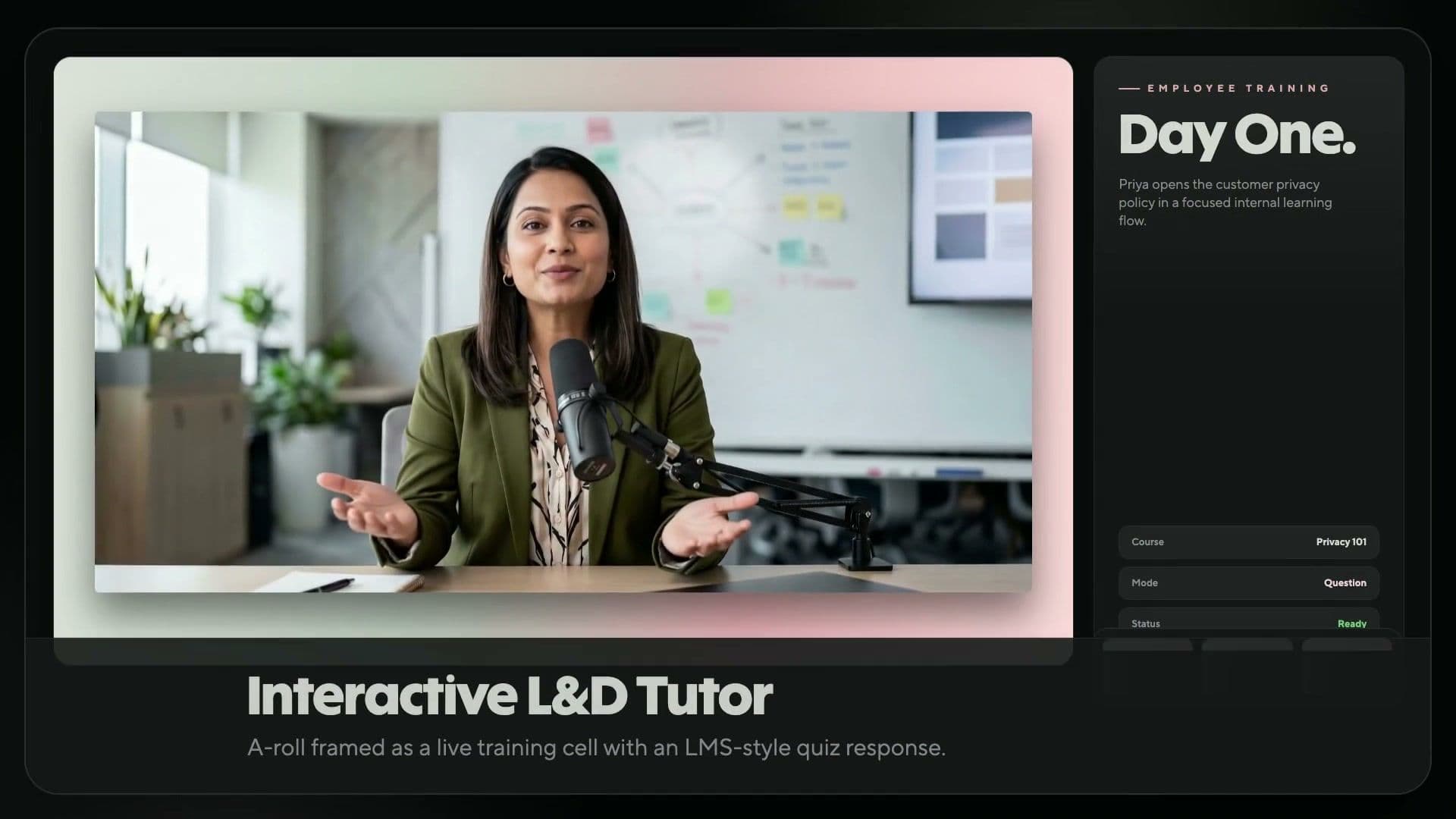
Pinapalitan ng mga L&D team ang mga lipas na module at mababagal na reshoot ng mga training video na ginagawa mula sa text. I-update ang script, muling buuin ang video, at i-push ito sa inyong LMS o training workflow.
Bihirang may film crew ang mga creator. Mag-paste ng script sa video prompt, pumili ng presenter o gumawa ng video na walang ipinapakitang mukha, at maglabas ng mga vertical o horizontal na clip para sa YouTube at TikTok.
Napapatagal ng mga studio at shoot ang paglulunsad ng ecommerce. Ilagay lang ang kopya ng iyong produkto, gumawa ng explainer na may presenter at awtomatikong B-roll, at i-publish ito sa iyong online store, mga ad, at social media.
Mas mabilis na nailalabas ng mga tagagawa ng kurso ang kanilang mga aralin. Gawing maiikling video, animated na video, at araling may pagsasalaysay ang isang balangkas—kumpleto sa mga caption at salin—sa loob lamang ng ilang minuto.
Pinababagal ng mga pangkalahatang sales email ang pag-usad ng pipeline. Ginagawang tig-isang clip ng Batch Mode ang isang listahan ng script para sa bawat prospect, na binabati ang bawat isa gamit ang kanilang pangalan, o maaari mo itong i-automate sa pamamagitan ng HubSpot.
Nauubos ang mga araw at badyet ng mga filmmaker sa pag-shoot ng mga eksenang maaari munang buuin gamit ang isang prompt. Sumulat ng script-to-video prompt at gumawa ng cinematic AI b-roll gamit ang Seedance.
I-paste ang brief, pumili ng aprubadong presenter, at gumawa ng video na naaayon sa brand—na may built-in na SSO, access batay sa tungkulin, at pagsunod sa SOC 2 Type II.
Paano gawing video ang anumang teksto
Gumawa ng kumpletong text-to-video AI clip sa apat na hakbang—mula sa simpleng text prompt hanggang sa render na handa nang ibahagi sa loob lamang ng ilang minuto.

I-paste o magbigay ng prompt
Ilagay ang iyong script, brief, o text prompt. Ayusin ang tono at pacing sa text view.

Pumili ng presenter at boses
Pumili ng presenter at boses. I-clone ang sarili mong boses o pumili mula sa library na may mahigit 177 wika.

I-customize ang mga visual
Magdagdag ng mga caption, B-roll, kulay ng brand, musika, at animation. Palitan ang anumang elemento nang hindi na kailangang muling i-render.

Gumawa at i-export
Buuin ang pinal na video at i-download ito bilang 4K MP4. Ibahagi ito sa YouTube o TikTok, o direktang ipadala sa iyong LMS.
Mga flexible na pricing plan para sa bawat creator at team
Binibigyang-kakayahan ng HeyGen ang mahigit 100,000 negosyo na gumawa, magsalin at mag-angkop sa lokal na wika, magpalawak, at magtulungan sa paggawa ng video—nang hindi nangangailangan ng camera o production crew. Kinikilala bilang #1 Pinakamabilis Lumagong Produkto ng 2025 ng G2, ginagawa naming mas madali kaysa dati ang paglikha ng mga propesyonal na video.
Free
$0/buwan
Mainam na panimulang opsyon para sa mga creator at marketer na gustong subukan ang mga AI tool, gaya ng AI video maker ng HeyGen.
- 3 video bawat buwan
- Mga video na hanggang 1 minuto
- Access sa Avatar IV
- Karaniwang pagproseso ng video
- 500+ Stock na Video Avatar
- 1 Custom na Video Avatar
- 30+ wika
Creator
$29 / buwan
Paglikha ng video gamit ang generative AI para sa mga solo creator. Nagbibigay ng access sa mga advanced na feature tulad ng AI video generator at AI voice-over.
- Mga video na hanggang 30 minuto
- Pag-export ng video sa 1080p
- Pinalawak na pagbuo ng Avatar IV na video
- Mabilis na pagproseso ng video
- Walang Limitasyong mga Photo Avatar
- Pag-aalis ng watermark
- Pag-clone ng Boses
- 175+ wika at diyalekto
- Paglipat ng mga natitirang credit
Pro
$49 / buwan
Ginawa para sa mga advanced na indibidwal na lumilikha ng premium na content sa malawakang saklaw. Magkaroon ng flexible na paggamit at mag-export sa napakagandang 4K na kalidad ng video.
- Mga video na hanggang 30 minuto
- Pag-export ng 4K na video
- Pinalawak na pagbuo ng Avatar IV na video
- Mas mabilis na pagproseso ng video
- Walang Limitasyong mga Photo Avatar
- Pag-aalis ng watermark
- Nako-customize na buwanang paggamit
- I-edit at i-proofread ang isinaling script
- Access sa lahat ng Advanced AI model
Free
$0/buwan
Mainam na panimulang opsyon para sa mga creator at marketer na gustong subukan ang mga AI tool, gaya ng AI video maker ng HeyGen.
- 3 video bawat buwan
- Mga video na hanggang 1 minuto
- Access sa Avatar IV
- Karaniwang pagproseso ng video
- 500+ Stock na Video Avatar
- 1 Custom na Video Avatar
- 30+ wika
Creator
$29 / buwan
Paglikha ng video gamit ang generative AI para sa mga solo creator. Nagbibigay ng access sa mga advanced na feature tulad ng AI video generator at AI voice-over.
- Mga video na hanggang 30 minuto
- Pag-export ng video sa 1080p
- Pinalawak na pagbuo ng Avatar IV na video
- Mabilis na pagproseso ng video
- Walang Limitasyong mga Photo Avatar
- Pag-aalis ng watermark
- Pag-clone ng Boses
- 175+ wika at diyalekto
- Paglipat ng mga natitirang credit
Pro
$49 / buwan
Ginawa para sa mga advanced na indibidwal na lumilikha ng premium na content sa malawakang saklaw. Magkaroon ng flexible na paggamit at mag-export sa napakagandang 4K na kalidad ng video.
- Mga video na hanggang 30 minuto
- Pag-export ng 4K na video
- Pinalawak na pagbuo ng Avatar IV na video
- Mas mabilis na pagproseso ng video
- Walang Limitasyong mga Photo Avatar
- Pag-aalis ng watermark
- Nako-customize na buwanang paggamit
- I-edit at i-proofread ang isinaling script
- Access sa lahat ng Advanced AI model
Business
$149 / buwan
Ang mga Karagdagang Seat ay $20/seat. Ligtas at nasusukat na paggawa ng video para sa mga team at negosyo
- Mga video na hanggang 60 minuto
- Pag-export ng 4K na video
- Mas mabilis na pagproseso ng video
- 2x na mas maraming sabay-sabay na proseso kaysa sa Pro
- 5 Custom na Video Avatar
- Palawakin ang iyong brand at isentralisa ang mga asset
- SAML/ SSO
- Sentralisadong pagsingil
- Mga flexible na credit na puwedeng i-top up o awtomatikong i-reload
- Magdagdag ng mga miyembro ng team sa halagang $20 bawat upuan kada buwan
- Kolaborasyon sa workspace
- Pagkokomento at pag-edit ng draft ng video
- Mga imbitasyon at pamamahala ng team
- Interaktibong Video (Mga Pagsusulit, Link, at iba pa)
- Pag-export sa SCORM
- Mga Integrasyon sa LMS
- Mga integrasyon sa n8n, Make, Hubspot at Zapier
Enterprise
Makipag-ugnayan sa Sales
Paglikha ng mga video na may kalidad na pang-studio at iniangkop sa mga pangangailangan ng iyong negosyo.
- Flexible na paggawa ng video
- Walang maximum na tagal ng video
- Pag-export ng 4K na video
- Pinakamabilis na pagproseso ng video
- Pinakamataas na bilang ng sabay-sabay na proseso
- Kontrol sa maraming workspace
- Mga puwesto para sa proofreader ng pagsasalin ng video
- Sentralisadong pamahalaan ang mga tungkulin at access
- Seguridad at privacy na pang-enterprise
- Paglalaan ng User gamit ang SCIM
- MFA para sa mga Miyembro ng Team
- Mga komersyal na tuntunin
- Priyoridad na suporta sa customer
- Nakatalagang customer success manager
- Iniangkop na onboarding
- Access sa Enterprise Community
- Pagsingil gamit ang invoice
Mga FAQ tungkol sa text-to-video AI
Paano ko mako-convert ang text sa isang video gamit ang AI?
I-paste ang iyong script sa editor, pumili ng presenter at boses, pagkatapos ay ayusin ang mga visual, caption, at musika. Awtomatikong gumagawa ng mga video mula sa mga text prompt ang AI text-to-video engine, at ginagawang tapos na video ng AI ang script sa loob lamang ng ilang minuto.
Anong mga uri ng teksto ang maaari kong gamitin para gumawa ng mga video?
Halos anumang naisulat mo na. Maaari kang mag-paste ng pulidong script, paglalarawan ng produkto, post sa blog, o kahit ilang bullet point mula sa isang pulong, at uunawain ng HeyGen ang konteksto at bubuo ito ng video batay roon. Kapag mas marami kang ibinigay na detalye, mas aangkop sa iyo ang magiging resulta, ngunit sapat na rin ang isang paunang ideya para makagawa ng maayos na unang draft na maaari mong pinuhin.
Paano ako magsusulat ng mahusay na prompt para sa text-to-video?
Unahin ang script o mensahe, dahil ang mga salita ang pinakamahalaga. Magdagdag ng linyang naglalarawan sa tono at ng deskripsyon ng estilo, pagkatapos ay tukuyin kung anong media ang gagamitin: motion graphics para sa datos, AI video para sa mga ideya, at stock footage para sa mga lugar.
Maaari ba akong gumawa ng mga video sa maraming wika na may mga subtitle?
Oo. Dina-dub ng AI video translator ang iyong video sa mahigit 177 wika, na may naka-sync na galaw ng labi at mga awtomatikong ginawang caption. Naisasalin at naiaangkop sa lokal na wika ang mga caption, subtitle, at voiceover sa iisang pag-render, kaya magagamit ng mga pandaigdigang team ang iisang script sa bawat merkado.
Ano ang pinakamahusay na AI text-to-video generator?
Ang HeyGen ang pinakamahusay na AI text-to-video generator para sa mga video na may presenter: ang #1 na may pinakarealistikong mga avatar ayon sa G2, Veo 3.1 at Seedance 2.0 B-roll, mahigit 177 wika, at mga video na hanggang 30 minuto—lahat sa iisang editor.
Maaari ko bang gamitin para sa komersyal na layunin ang mga video na ginawa gamit ang AI text-to-video?
Oo. Ang mga video na ginawa gamit ang mga bayad na plan ay lisensiyado para sa komersiyal na paggamit sa marketing, sales, training, at mga channel ng produkto. Pinananatiling pare-pareho ng mga brand kit ang mga logo, typography, at kulay, kaya ang bawat video ay naaayon sa brand at handa nang gamitin sa mga ad, landing page, at outreach.
Maaari ko bang i-edit ang ilang bahagi ng nabuong text-to-video?
Oo. I-update ang script at ang AI video editor ay ang binagong seksyon lang ang muling bubuuin, kaya hindi mo na kailangang mag-record ulit o magsimulang muli mula sa simula. Maaari mong palitan anumang oras ang presenter, boses, mga caption, o B-roll nang hindi inuulit ang buong pag-edit ng video.
Gaano katagal bago makagawa ng video gamit ang text-to-video AI?
Karaniwang handa ang isang minutong script sa loob ng 5 hanggang 10 minuto. Nagre-render ang Video Agent nang humigit-kumulang 5 hanggang 10 beses ng haba ng video, kasama na ang voiceover, mga caption, at B-roll, kaya mas matagal gawin ang mas mahahabang script ayon sa haba ng mga ito.
Maaari ko bang gamitin ang sarili kong boses o ang sarili kong presenter avatar?
Oo. Mag-record ng 15 segundong clip at gagawa ang platform ng custom na presenter at cloned na boses. Gamitin muli ang dalawa sa bawat proyekto para iisang mukha at boses ang maghatid ng mensahe sa anumang wika nang hindi na kailangang mag-film ulit.
Maaari ba akong pumili ng visual na estilo, gaya ng animated o cinematic?
Oo. Tukuyin sa iyong prompt ang gusto mong estilo—minimalist, cartoon, cinematic, flat design, o retro—o mag-attach ng Brand System para mapanatili ng Video Agent na pare-pareho ang mga kulay, font, at logo sa bawat eksena.
Anong mga input bukod sa text ang maaaring gamitin ng mga AI video generator?
Marami. Mag-upload ng PDF o PowerPoint, mag-attach ng mga larawan, screenshot, o video clip bilang sanggunian, o magsimula sa isang audio file. Kinukuha ng Video Agent ang script, pinipili ang mga eksena, at nire-render ang buong video.
Aling mga AI model ang ginagamit ng HeyGen para gawing video ang text?
Nire-render ng Avatar V at Avatar IV ang presenter, gumagawa ang Seedance 2.0 at Veo 3.1 ng B-roll, at lumilikha naman ang Nano Banana at Seedream ng mga still image. Magagamit ang lahat ng ito sa iisang subscription sa HeyGen.
Mag-explore pa ng AI-powered na mga tool
Bigyang-buhay ang anumang larawan gamit ang sobrang realistiko na boses at galaw sa pamamagitan ng Avatar IV.
Simulan ang paggawa gamit ang HeyGen
Gawing mga propesyonal na video ang iyong mga script gamit ang AI.

