


 for Legal
Bring your legal expertise to video — and put it on the record.
Turn the legal questions you answer at every consultation into short videos that look and sound like you. Spend your time with clients, not in front of cameras.

Video request
We draft a short, general answer that finishes by explaining when to ring. You can edit every line before anything is rendered. Sign up first. The same card then opens in HeyGen, ready for you to draft.
Three ways to support your clients
Each starts with expertise you already have and opens as its own card in HeyGen after sign-up.
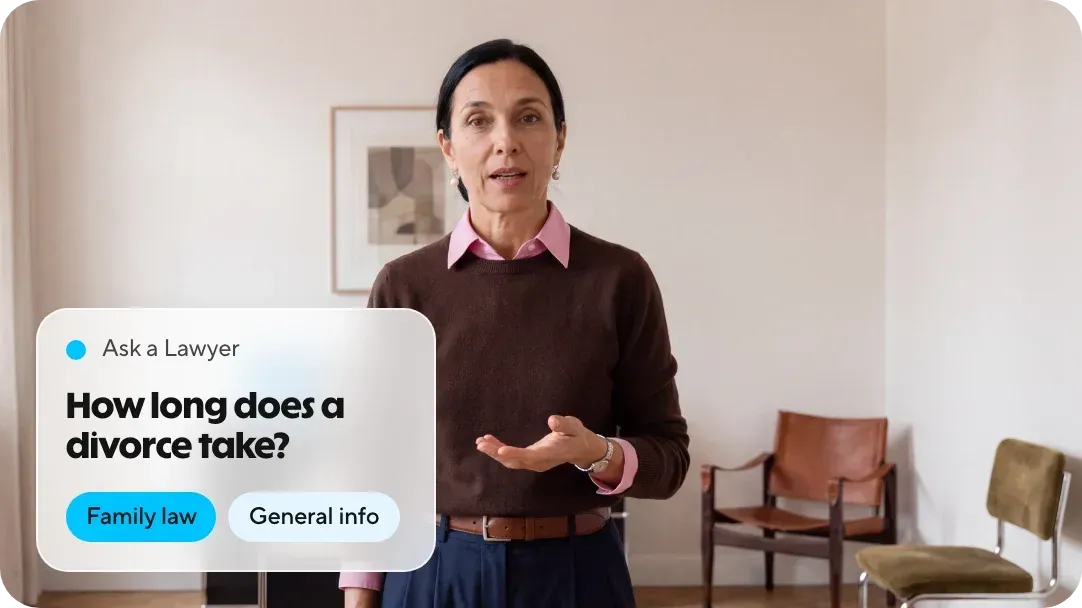
Answer the legal questions you cover in every consultation.
You bring
- A legal topic and your jurisdiction
- The three points every client should hear
You get
An explainer that sounds like you, closing with your name, region, and area of practice.
Drafted, reviewed, and recorded once
Choose it
A topic, a clause, or your profile link. We turn it into a script clients can follow.
Approve it
Edit any line for accuracy and to comply with your local regulations. Nothing renders until you sign off.
Show up
Record one consent video. Only your account can create videos as you.
Post it
Keep the MP4 and script for your records. Add a Spanish version in your own voice, then post.
Trusted professionals who appear on video each week
A marketing founder, a mortgage broker and a trust company. Figures are their own; links lead to the full stories.



- 12videos per hour
- 5xfaster video production
With HeyGen, we could create short, snappy videos that maintained a professional quality. It was especially effective for social media.
Jesse BrileySenior Manager, Marketing Engagement, Equity Trust Company
Read the story: Jesse BrileyWhat advertising rules require of a video
Most state regulations allow advertising in any medium but regulate what you say. This workflow keeps you in control of your message.
Nothing false or misleading
You write and approve the script. No claim is rendered unless you have read it. Download the script for your records.

A named, responsible lawyer
Include your name, the firm and the office in the script or caption, as required by your state’s rules. Label it ‘attorney advertising’ where required.
Not legal advice
Ask a Lawyer answers remain general. Use the details field for the jurisdiction line and your disclaimer.
Who can appear as you
Only your account, after a consent video you record yourself. HeyGen remove an avatar on request. Where the data lives: hosted on AWS in the United States. SOC 2 Type II, GDPR, and CCPA. TLS 1.2+ in transit, AES-256 at rest.
Security details
Before you speak to your compliance officer
Can lawyers use AI-generated video in advertising?
Most US state rules permit advertising in any medium and regulate its content. You write and approve every word, and the avatar uses your likeness with your consent. Several state bar associations have issued guidance on AI; check your association’s guidance and disclose AI use where required.
Is this legal advice?
No. The three videos provide general information, cover a public ruling or introduce you. Keep client matters out of the script, and explain in the video when to ring you.
Who can appear as me?
Only your account, after a consent video you record yourself. HeyGen remove an avatar on request.
Do I see the script before the video exists?
Yes. Nothing renders until you approve it. Download the MP4 and the script for your records.
Do I need an 'Attorney Advertising' label?
Some states require it in advertising, including video. Include it in the caption or opening frame, alongside the name and office of a responsible lawyer. Your state’s rules set out the exact wording.
What does it cost?
You can sign up and draft for free. Plans and limits are on the pricing page.
How can lawyers use their avatar on social media?
Turn legal insights, common questions, trending topics, and quick tips into consistent LinkedIn, Instagram, Facebook, and YouTube content.
Can lawyers use their avatar for client education?
Yes. Create videos explaining legal processes, what clients can expect, the documents they need and the usual next steps.
Can I translate my legal videos into Spanish and other languages?
Yes. HeyGen translate into over 175 languages and dialects with voice cloning and lip-sync, so your avatar speaks Spanish in your own voice. Translated videos may be shorter or longer than the original, as languages vary in length. Ask a fluent reviewer to check legal terminology before publishing.
When a client next asks a question, answer it just once.
Name the question, read the script, and post it in your own voice.