Text-to-video AI
Turn any text into a video with AI in minutes. Paste your script or prompt, choose a presenter, and create videos from text without filming or editing. Go directly from text to a video that's ready to share.
 4.8/5 rating
 130M+ generated
 177+ languages
 No watermark
 4.8 / 5 from 1,000+ reviews


Trusted by more than 1,000,000 developers and leading companies.
Scale video production with text-to-video AI
HeyGen turns your text into polished videos with AI avatars, voiceovers, and captions, with no camera or production crew required. Paste a script or describe your idea, then create a ready-to-share video in minutes. Choose an avatar and voice, customize your script and visuals, add your branding, resize for any platform, and export—all in one place.
Everything You Can Do with Text-to-Video AI
Turn scripts into lifelike presenter-led videos
Paste a script, and the text-to-video generator delivers a finished take in minutes. Avatar V provides full upper-body movement and natural delivery for long-form scripts. Choose from more than 700 avatars, or create your own digital twin from a 15-second clip. Or skip the presenter and produce a voice-over-only cut, letting the visuals do the talking.

Multilingual voice and natural narration
Generate an AI voice-over that sounds human, or use AI voice cloning to keep one presenter across markets and campaigns. Dub a single script into more than 177 languages and dialects with lip-synced movement, so global teams can deliver the same message without re-recording any voice-overs.

Easily add AI B-roll, animations, and visuals
Skip the stock footage search. Name the look—minimal, cartoon, cinematic, or retro—and scene-matched B-roll is created using motion graphics, Veo 3.1 and Seedance 2.0 AI video, or stock footage, with no second subscription required. Every shot ties back to your prompt.

Captions, subtitles, and global delivery
Word-synced captions and subtitles are produced automatically with the AI subtitle generator. Localize captions across more than 177 languages in the same render, then add licensed music and sound effects from the library. Accessibility, sound, and reach are delivered in a single pass.

High-quality export and 4K delivery
Export high-quality video in 4K MP4 (16:9, 9:16, or 1:1) from a single project, ready for YouTube, TikTok, LinkedIn, or your LMS. Brand kits keep typography, colours, and logos consistent across every video cut, so one simple text prompt can support every channel.

Real-world uses of text-to-video AI
Marketing teams wait weeks for edits and translations. Paste in a campaign brief, choose a presenter, and generate video content for promotions, products, and demand generation.
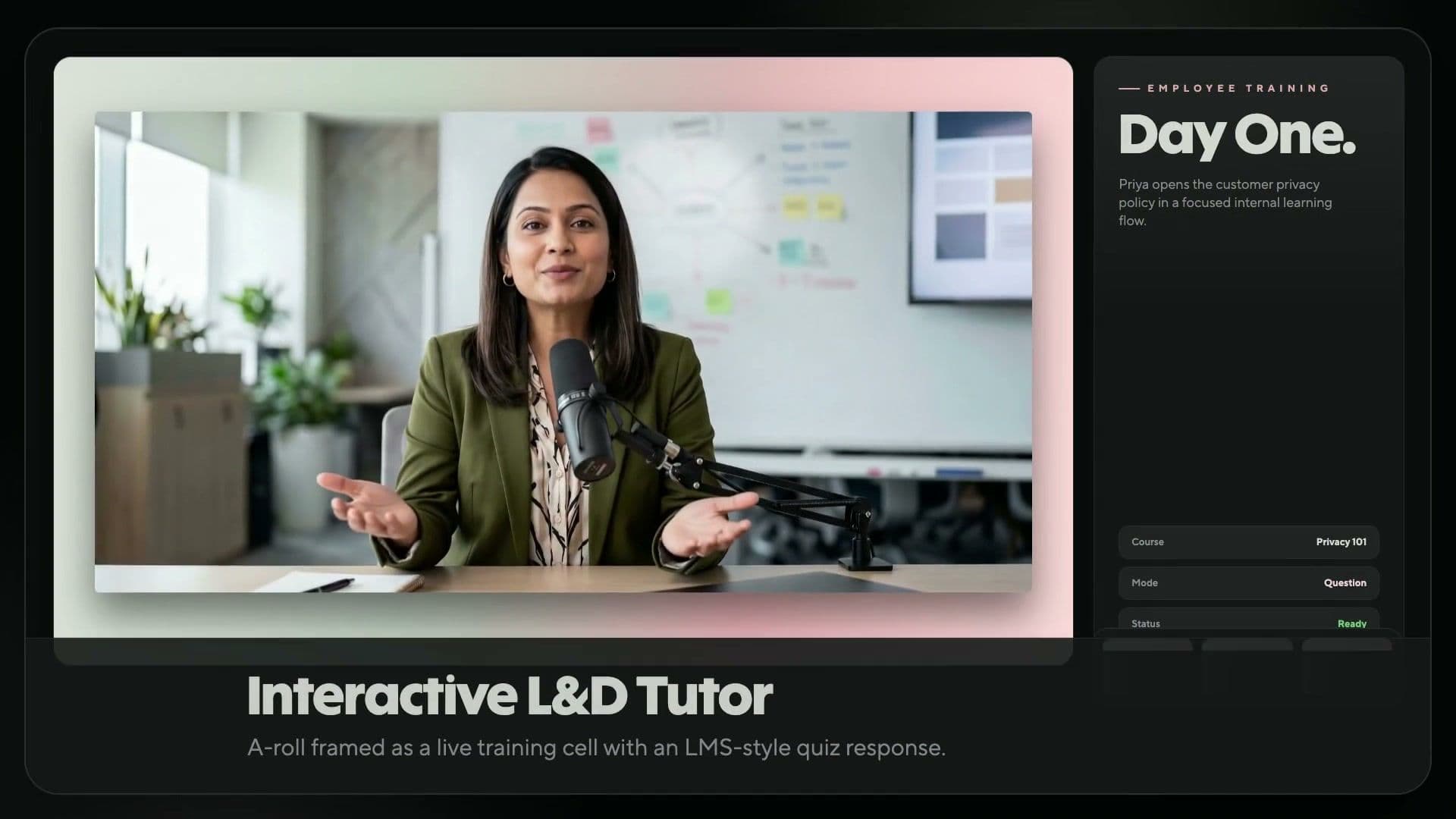
L&D teams replace outdated modules and time-consuming reshoots with text-driven training videos. Update the script, regenerate the video, and publish it to your LMS or training workflow.
Creators rarely have a film crew. Paste a script-to-video prompt, choose a presenter or go faceless, and publish vertical or horizontal clips for YouTube and TikTok.
Studios and photo shoots can delay e-commerce launches. Add your product copy, generate a presenter-led explainer with automatic B-roll, and publish it to your store, ads, and social channels.
Course creators publish lessons faster. Turn an outline into short videos, animated videos, and a narrated lesson with captions and translations in minutes.
Generic sales emails stall pipelines. Batch Mode turns one script list into a clip for each prospect, greeting each one by name, or you can automate the process through HubSpot.
Filmmakers spend days and budget shooting scenes that a prompt can generate first. Write a script-to-video prompt and generate cinematic AI B-roll with Seedance.
Paste a brief, choose an approved presenter, and generate on-brand video with built-in SSO, role-based access, and SOC 2 Type II compliance.
How to turn any text into a video
Create a polished text-to-video AI clip in four steps, from a simple text prompt to a share-ready render in minutes.

Paste or prompt
Drop in your script, brief, or text prompt. Refine the tone and pacing in the text view.

Choose a presenter and voice
Select a presenter and a voice. Clone your own voice or choose from a library spanning more than 177 languages.

Customize visuals
Add captions, B-roll, brand colours, music, and animation. Swap any element without re-rendering.

Generate and export
Generate the final video and download it as a 4K MP4. Share it on YouTube or TikTok, or publish it to your LMS.
Flexible pricing plans for every creator and team
HeyGen empowers more than 100,000 businesses to create, localize, scale, and collaborate on video—no camera or crew needed. Recognized as G2’s No. 1 Fastest-Growing Product of 2025, we make professional video creation easier than ever.
Free
$0/mo
An ideal starting point for creators and marketers looking to explore AI tools, such as HeyGen’s AI video maker.
- 3 videos per month
- Videos up to 1 min
- Access to Avatar IV
- Standard video processing
- 500+ stock video avatars
- 1 Custom Video Avatar
- 30+ languages
Creator
$29 / mo.
Generative AI video creation for solo creators. Provides access to advanced features such as the AI video generator and AI voice-over.
- Videos up to 30 minutes
- 1080p video export
- Extended Avatar IV video generation
- Fast video processing
- Unlimited Photo Avatars
- Watermark removal
- Voice cloning
- 175+ languages and dialects
- Credit rollovers
Pro
$49 / mo.
Designed for advanced creators producing premium content at scale. Unlock flexible usage and export in stunning 4K video quality.
- Videos up to 30 minutes
- 4K video export
- Extended Avatar IV video generation
- Faster video processing
- Unlimited Photo Avatars
- Watermark removal
- Customizable monthly usage
- Edit and proofread the translation script
- Access to all advanced AI models
Free
$0/mo
An ideal starting point for creators and marketers looking to explore AI tools, such as HeyGen’s AI video maker.
- 3 videos per month
- Videos up to 1 min
- Access to Avatar IV
- Standard video processing
- 500+ stock video avatars
- 1 Custom Video Avatar
- 30+ languages
Creator
$29 / mo.
Generative AI video creation for solo creators. Provides access to advanced features such as the AI video generator and AI voice-over.
- Videos up to 30 minutes
- 1080p video export
- Extended Avatar IV video generation
- Fast video processing
- Unlimited Photo Avatars
- Watermark removal
- Voice cloning
- 175+ languages and dialects
- Credit rollovers
Pro
$49 / mo.
Designed for advanced creators producing premium content at scale. Unlock flexible usage and export in stunning 4K video quality.
- Videos up to 30 minutes
- 4K video export
- Extended Avatar IV video generation
- Faster video processing
- Unlimited Photo Avatars
- Watermark removal
- Customizable monthly usage
- Edit and proofread the translation script
- Access to all advanced AI models
Business
$149 / mo.
Additional seats are $20 per seat. Secure, scalable video creation for teams and businesses.
- Videos up to 60 minutes
- 4K video export
- Faster video processing
- 2x more concurrency than Pro
- 5 Custom Video Avatars
- Scale your brand and centralize assets
- SAML/SSO
- Centralized billing
- Flexible top-up or auto-reload credits
- Add team members for $20 per seat/month
- Workspace collaboration
- Video draft commenting and editing
- Invitations & team management
- Interactive video (quizzes, links, and more)
- SCORM export
- LMS integrations
- Integrations with n8n, Make, HubSpot, and Zapier
Enterprise
Contact sales
Studio-quality video creation customized to your business needs.
- Flexible video generation
- No maximum video duration
- 4K video export
- Fastest video processing
- Highest concurrency
- Multi-workspace control
- Proofreader seats for video translation
- Centrally manage roles and access
- Enterprise-grade security and privacy
- SCIM user provisioning
- Team member MFA
- Commercial terms
- Priority customer support
- Dedicated customer success manager
- Customized onboarding
- Enterprise community access
- Invoice billing
Text-to-video AI FAQs
How can I turn text into a video using AI?
Paste your script into the editor, choose a presenter and voice, then refine the visuals, captions, and music. The AI text-to-video engine automatically renders videos from text prompts, turning your script into a finished video in minutes.
What types of text can I use to generate videos?
Pretty much anything you already have written down. You can paste in a polished script, a product description, a blog post, or even a few bullet points from a meeting, and HeyGen will read the context and build a video around it. The more detail you provide, the more customized the result will be, but a rough idea is still enough to create a solid first draft that you can refine.
How do I write an effective text-to-video prompt?
Lead with the script or message, because the words matter most. Add a line describing the tone and a style descriptor, then specify which media to use: motion graphics for data, AI video for ideas, and stock footage for places.
Can I generate videos in multiple languages with subtitles?
Yes. The AI video translator dubs your video into more than 177 languages with synchronized lip movements and automatically generated captions. Captions, subtitles, and voiceovers are localized in the same render, so global teams can use one script across every market.
What is the best AI text-to-video generator?
HeyGen is the leading AI text-to-video generator for presenter-led videos, featuring G2's #1 most realistic avatars, Veo 3.1 and Seedance 2.0 B-roll, support for more than 177 languages, and videos up to 30 minutes long—all in one editor.
Can I use AI text-to-video videos commercially?
Yes. Videos generated on paid plans are licensed for commercial use across marketing, sales, training, and product channels. Brand kits keep logos, typography, and colours consistent, so every video is on-brand and ready for ads, landing pages, and outreach.
Can I edit parts of a generated text-to-video?
Yes. Update the script, and the AI video editor regenerates only the section you changed, so you don't need to re-record or rebuild from scratch. Swap the presenter, voice, captions, or B-roll at any time without redoing the video editing from the beginning.
How long does it take to generate a video using text-to-video AI?
A one-minute script is usually ready in 5 to 10 minutes. Video Agent renders at about 5 to 10 times the video's length, including voice-over, captions, and B-roll, so longer scripts take proportionally longer.
Can I use my own voice or presenter avatar?
Yes. Record a 15-second clip, and the platform will create a custom presenter and cloned voice. Reuse both across all your projects so the same face and voice can deliver content in any language without filming again.
Can I choose a visual style, such as animated or cinematic?
Yes. Specify the look in your prompt—minimal, cartoon, cinematic, flat design, or retro—or attach a Brand System so Video Agent keeps colours, fonts, and logos consistent in every scene.
What inputs can AI video generators use besides text?
Plenty. Upload a PDF or PowerPoint, attach images, screenshots, or video clips as references, or start from an audio file. Video Agent extracts the script, selects the scenes, and renders the complete video.
Which AI models power text-to-video on HeyGen?
Avatar V and Avatar IV render the presenter, Seedance 2.0 and Veo 3.1 generate B-roll, and Nano Banana and Seedream create still images. They all run within a single HeyGen subscription.
Explore more AI powered tools
Bring any photo to life with hyper‑realistic voice and movement using Avatar IV.

