AI Animation Maker
Turn a text prompt, script, or still image into 2D, 3D, anime, or cartoon animation in minutes. No keyframing, rigging, or animation software needed. Describe your idea and watch it move.
- 183,259,366 Videos generated
- 158,501,407 Avatars generated
- 27,179,498 Videos translated









 Key Features
Features of the AI animation maker
Turn Text into Animated Videos in Minutes
Describe a scene in a text prompt or paste a full script to turn your text into animated scenes, built shot by shot with characters, setting, lighting, camera, and sound. If you can put your idea into words, you can animate it.

Bring Any Photo or Character to Life
Upload a drawing, character design, mascot, or photo, and it becomes the opening frame of your clip. Then describe what happens next—a wave, a jump, or a slow zoom—and your art starts to move, with no rigging or keyframes.

Camera Control and Cinematic Movement
Direct it like a film: ask for a slow push-in, a low-angle tracking shot, or a locked-off wide, and the camera follows. Characters keep their shape, objects stay put, and motion obeys physics, so 2D and 3D scenes feel directed, not floaty.

Voiceovers and Dubbing in Over 175 Languages
Sound is generated alongside the visuals: dialogue, footsteps, rain, and room tone, all matched to the scene. Need a narrator? Add AI voiceovers or your own cloned voice, then dub the finished animation into over 175 languages.

Edit Each Scene Without Re-Rendering
Your animation appears in the video editor as separate scenes. Rewrite a line, swap a shot, add captions, or match your brand colours without changing the rest. If a moment doesn’t work, regenerate that scene and keep the parts you love.

 Use cases
AI animation video use cases

Animations for Marketing and Promotions
Animated ads used to mean weeks in an animation studio. Describe the product moment, pick claymation or 3D, and get engaging animated videos in every aspect ratio. Test three concepts in an afternoon, not one.

Animated Social Media Clips
Animated shorts get people to stop scrolling. Type an idea, get a 9:16 clip with built-in sound, and keep a daily anime or stop-motion series going on TikTok, Reels, and YouTube Shorts.

Product Demos and Explainer Videos
Static slides can quickly lose viewers’ attention. Turn a deck or product brief into an animated explainer video that shows how a feature works, so viewers understand it the first time.

Modules for Training and Onboarding
Reshooting training videos every time a policy changes adds up. Generate animated videos for onboarding and compliance from a script, then edit one line and regenerate one scene when the rules change.

Course and Learning Content
Animation helps complex ideas stick. Show a cell dividing, a supply chain in motion, or a historical battle in a paper-cut style, and let narration guide the lesson. Animate entire modules, not just individual clips.

Localized Animations for Global Audiences
One animation rarely works for every region. Create it once, then use the AI video translator to release it in 175+ languages with matching voiceover, so a single video can reach every market.
 How it works
How the AI animation generator works
Create an animated video in four steps. No keyframing, rigging, or timeline—just simple text and a few choices.

Describe your animation
Write a text prompt or paste a script: who’s in the scene, what happens, and what we hear. More detail means better motion.

Select your style and visuals
Choose your animation style, from anime to claymation, or upload an image to animate.

Add voiceover and motion
Specify the camera movement and sounds you want, then add an AI voiceover in over 175 languages.

Export and share wherever you need
Your animation is ready to download as an MP4 or share on social media, your website, or an LMS.
FAQs about the AI animation generator
Can AI make an animation?
Yes. Describe a scene or upload a picture, and AI generates the characters, movement, camera work, and sound to create a finished video. You direct it with words rather than drawing frames, setting keyframes, or building a rig. It’s animation powered by AI, with you as the director.
What is an AI animation generator and how does it work?
It’s an AI tool that creates animations from text or images. This one runs on HeyGen Video 1, our own generative AI video model. It reads your prompt, determines who moves and how, then renders picture and sound in a single pass, so every generated video comes with its own soundtrack.
What's the best AI animation app?
It depends on the task. Some AI animation generators are designed for dance and meme clips, while other AI animation tools only produce a single short shot. If you want complete animated videos with sound, voiceover, captions, and translation in one place, HeyGen works in your web browser and on iOS and Android. You can get started for free.
Is there a free AI animation generator?
Yes. The Free plan requires no credit card and lets you create two 5-second animated clips a day, free online, right on this page. Paid plans include longer clips, support for your own images, 2K output, and commercial use. See pricing.
What animation styles can I create?
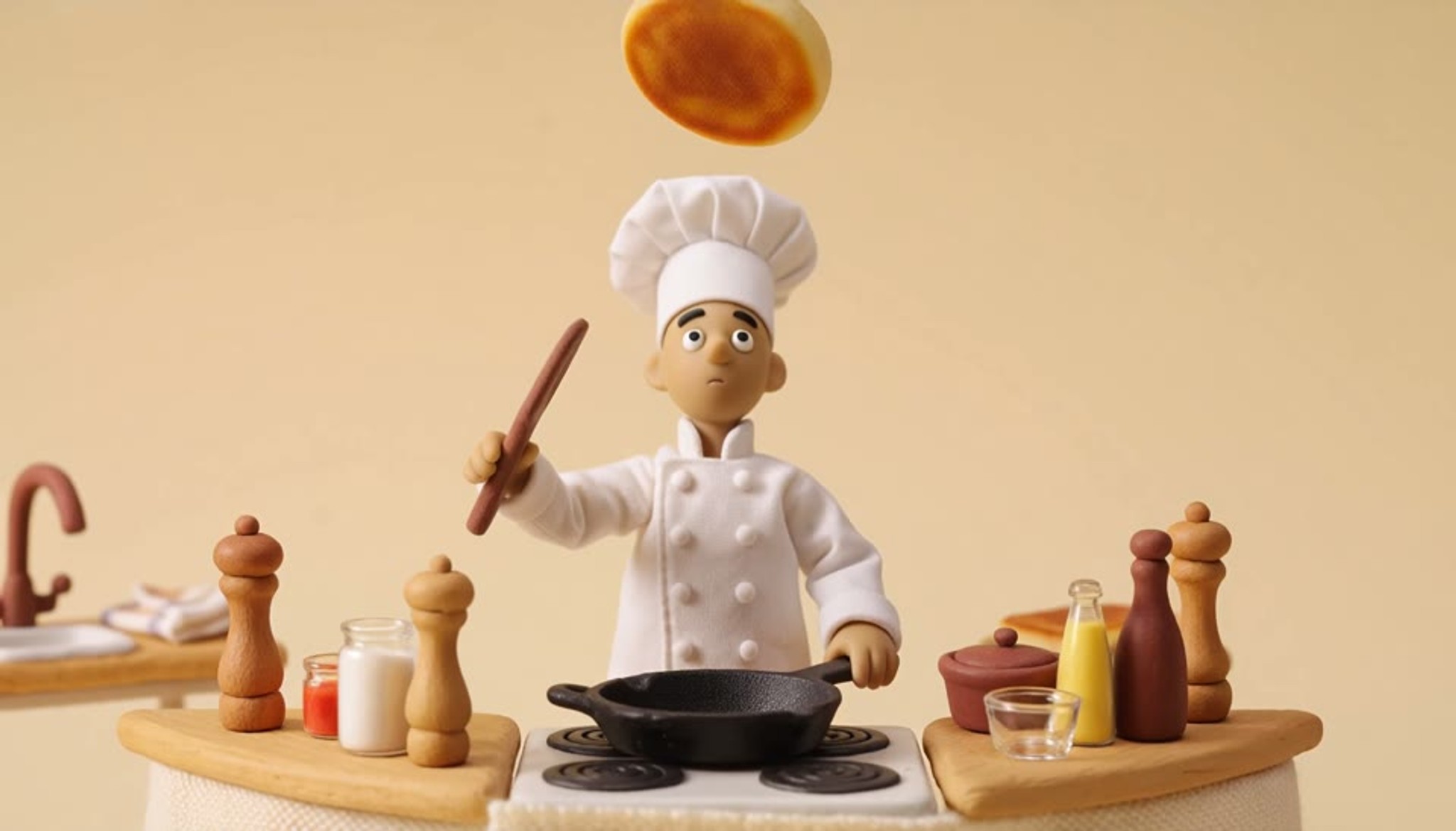
2D animation, 3D, anime, cartoon, claymation, stop-motion, paper cut, illustration, and miniature. Specify an actual technique and its distinctive details, such as thumbprints in the clay or visible pencil lines, and the model follows your direction closely.
Can AI make a cartoon or anime video?
Yes. It works as an AI cartoon generator and an AI anime maker. Ask for anime, a classic cartoon, or 3D character animation, and add a character image if you have one. The generator keeps the look and adds motion, expression, and sound, so you can make anime videos from text in minutes.
Do I need animation skills to use it?
No. If you can describe a scene, you can animate it. The AI handles timing, motion, and physics, and the editor works with plain text and drag-and-drop, so first-time creators get high-quality animation on day one, without video editing experience.
How do I turn a written script into an animated video?
Paste your script, choose a look, and generate your animation. Each part becomes a scene with visuals, sound, and narration. Then adjust the pacing, swap shots, or regenerate a scene before downloading your animation.
How do I write a prompt that animates well?
Write it like a storyboard: describe one subject doing one thing, the camera movement, the visual style, and the sound. Then specify what to leave out, such as music or logos. Longer, more specific prompts work better than short ones.
Can AI animate an image or drawing?
Yes. Upload a sketch, illustration, mascot, or photo, and it becomes the opening frame, so the animation starts exactly as your art looks. Then describe the motion, and your picture turns into an animated video clip.
Can I keep the same character across scenes?
Yes. Add up to nine reference images of your character, product, or location per shot, and their appearance, colour, and markings will carry through to each new scene. Reuse the same references throughout a project to keep your cast consistent.
How long can AI animations be?
Each generated shot runs 5 to 30 seconds with sound, and free clips on this page run 5 seconds. For longer pieces, combine scenes in the editor into a full explainer, lesson, or animated series episode.
Can I add voiceover, music, and sound effects?
Yes. Each scene includes its own dialogue, ambience, and sound effects. For narration, choose a voice or clone your own, and narrate the same script in over 175 languages.
What does AI animation still struggle with?
Long on-screen text, subtle natural movement like hair or paper, and close-up hand movements. Keep lettering to a short phrase, add longer text in the editor, and use narration to explain detailed steps while keeping the action simple.
Can I use AI animations commercially?
Yes. Use them in ads, launches, training, YouTube videos, and client work. Paid plans include commercial use, and brand kits keep fonts, colours, and logos consistent across every animation your team makes.
Will AI replace animators?
No. It handles time-consuming tasks like in-betweens, rendering, and reshoots, so animators can spend more time on characters, story, and direction. Use it as an animation tool to storyboard and test scenes before full video production.
Discover more AI-powered tools
Bring any photo to life with lifelike voice and movement using Avatar IV.
Create your next video with HeyGen
Turn your ideas into professional videos with AI.

