


 for local services
Your face is on the van. Put it on video.
Describe the job, approve the script, and post a video featuring your own likeness and voice. No camera crew, no time away from the job site.

Work order
We draft the reminder for your climate and your trade. You read and edit every line before it renders. You sign up first. The same card opens in HeyGen with what you typed.
Three videos every service business posts
Each one starts from something you could explain in your sleep, and opens as its own card in HeyGen after sign-up.
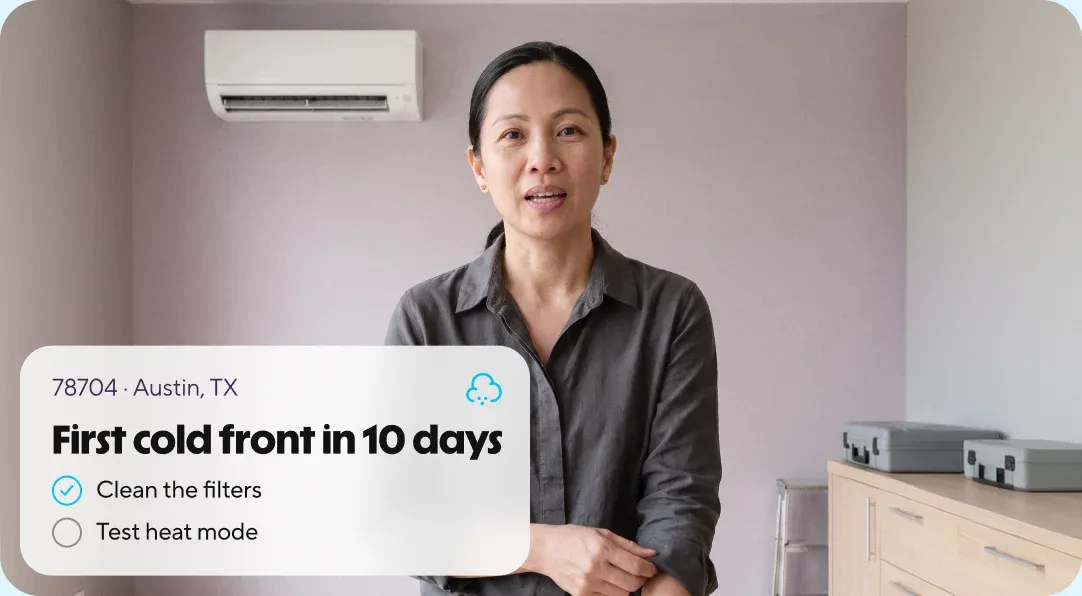
The reminder your neighbourhood needs before the season turns.
You bring
- Your postal code
- This season’s job for your trade
You get
A short reminder in your voice, with talking points for your climate. Post it to your Business Profile and socials.
Four stops to create a video
Write the ticket
A job, a season or your profile link. We draft a script in plain language from it.
Read the script
Change any line. Nothing renders until you approve the words.
Record once
One consent video from your phone. Only your account can render with your likeness.
Post it
Download the MP4 and the script, then post where your customers already look you up.
Being locally famous is a business model
Owners who appeared in their own videos and were recognized before they even picked up the phone.



I've had people come in and say, 'I saw you on Instagram, and that's one of the reasons why I came here.'
Lev MillsLeasing agent, Atlanta
Read the story: Lev MillsWhat’s on the invoice
A seasonal reminder, a common job and your own profile contain no customer information. Keep names and addresses out of the script and these three videos never touch them.
What goes in
A job, a season, or your own public profile. Customer names, addresses and photos of their homes stay out.

Who can use your face
Only your account, after a consent video you record yourself. HeyGen removes an avatar on request.
What you keep
The approved script and the MP4, downloadable for your records before anything is posted.
Where it is hosted
Hosted on AWS in the United States. SOC 2 Type II, GDPR and CCPA. TLS 1.2+ in transit, AES-256 at rest. Enterprise data excluded from model training by default.
Security details
Questions from the truck
Will it look and sound like me?
Yes. Your avatar is built from a video you record yourself and a sample of your voice. You review the script before anything renders, so it says what you would say on a job.
Do I need a camera, a studio or an editor?
No. One recording from your phone sets up your likeness. After that you type the job and HeyGen renders the video.
Does the video need my license number on it?
Some states require it on every advertisement, including video. California, for example, asks licensed contractors to show their CSLB number. Put it in the caption or on screen, and check your state board.
Does any customer information go in?
No. The three videos use a job, a season and your own public profile. Keep customer names, addresses and photos of their homes out of your script and your examples.
Do I see the script before the video exists?
Yes. Nothing renders until you approve the script, and you can download the MP4 and the script for your records.
What does it cost?
You can sign up and draft for free. Plans and limits are on the pricing page.
The season’s turning. Be on the feed before the phone rings.
Name the job, read the script, post it in your own voice.